
Power Nap with Health Sync2.52 - App Store
You'll be able to see results in few seconds.
Publisher Description
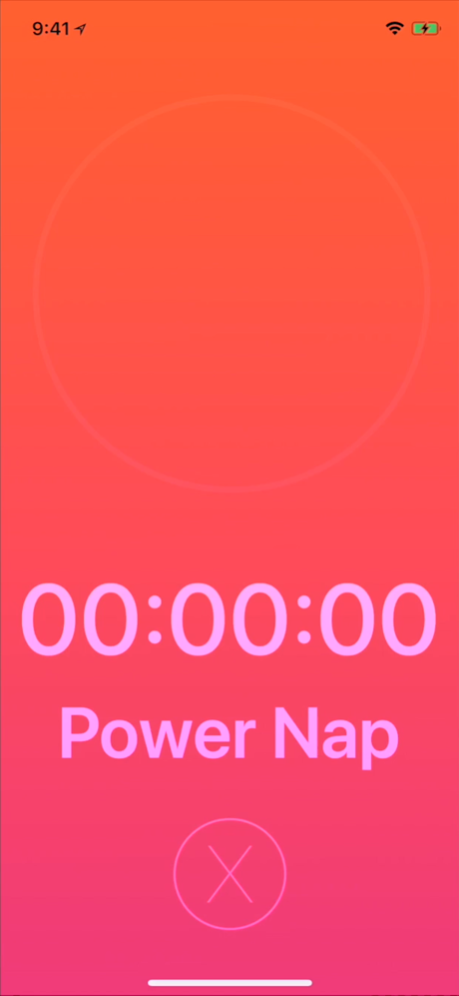

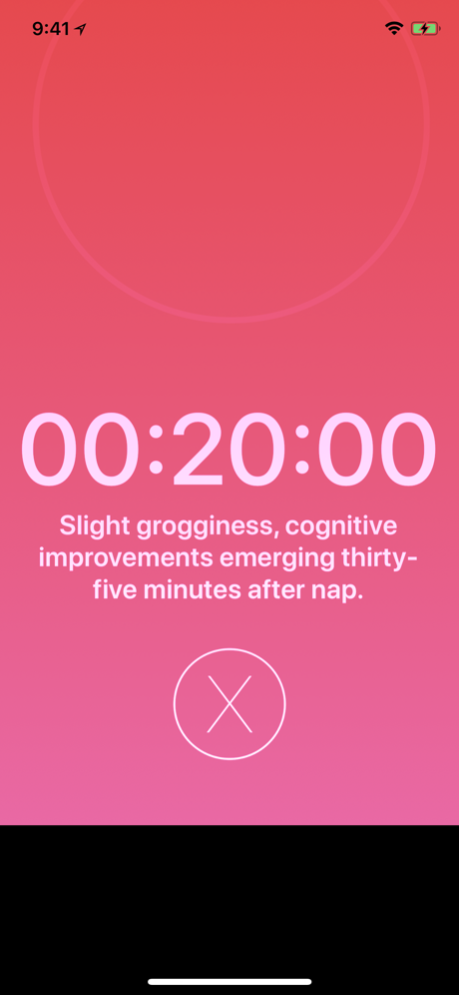

A first of its kind Power Nap app for Apple Watch. Power Naps can reenergize the mind and body, and with the Power Nap app you are only two taps from the watch face to starting and recording your naps to Apple Health.
Apple Watch
• Set naps solely from Apple Watch, vibrating with sound at completion
• Sleep durations are saved to Health
• A Mindful Session is saved to Health, as power naps reenergize the mind
• Siri Support* — Start, Pause, Resume, End and Cancel Power Naps
• Monitor your Heart Rate while you nap
• "Apple Watch system Do Not Disturb Mode" may be enabled during the app's use to minimize notification distractions (for best napping experience)
• "Apple Watch system Silent Mode" may be enabled
• Watch Face Complication support for quick access
• Complication Color option, For certain watch faces, when enabled, the color of the app complication matches the color of the recently saved nap type.
• Works in background
• Sync daily nap durations to the sleep tracking app, Sleep Pulse 3 Motion
iPhone
• Swipe up and release to select nap duration
• Shake to Snooze
• 3D Touch Icon to start naps (iPhone 6s or later)
• Siri Support
• iMessage Sticker Pack
• Sync daily nap durations to the sleep tracking app, Sleep Pulse 3 Motion
**Get a discount on "Sleep Pulse 3 Motion" by purchasing the "Sleep Better with Watch Bundle"**
^Note when using just the iPhone for naps do not sleep or exit the app for use, plugging in to charge is recommended. The Screen Auto-Dims to save battery life.
Nap Durations Include: Quick Nap 10:00, Light Nap 20:00, Mild Nap 30:00, Long Nap 60:00, and Sleep Nap 90:00.
*Siri Phrases include:
Start - "Start a nap with Power Nap" , "Start a Quick Nap with Power Nap" , "Start a Light Nap with Power Nap", "Start a Mild Nap with Power Nap" , "Start a Long Nap with Power Nap", "Start a Sleep Nap with Power Nap"
Pause - "Pause my nap with Power Nap"
Resume - "Resume my nap with Power Nap"
End - "End my nap with Power Nap"
Cancel - "Cancel my nap with Power Nap"
Apple Watch Extra Siri Phrases:
"Start a snooze nap with Power Nap" for Quick Nap and "Start a hour nap with Power Nap" for Long Nap.
Information for nap types summarized from:
https://en.wikipedia.org/wiki/Power_nap
App Preview Audio Credit:
"Odyssey" Kevin MacLeod (incompetech.com)
Licensed under Creative Commons: By Attribution 3.0
http://creativecommons.org/licenses/by/3.0/
App Alarm Audio Credit:
"Enchanted Journey" Kevin MacLeod (incompetech.com)
Licensed under Creative Commons: By Attribution 3.0
http://creativecommons.org/licenses/by/3.0/
Oct 7, 2018
Version 2.52
- iOS 12, watchOS 5 and Series 4 updates
About Power Nap with Health Sync
The company that develops Power Nap with Health Sync is Spencer Brown. The latest version released by its developer is 2.52.
To install Power Nap with Health Sync on your iOS device, just click the green Continue To App button above to start the installation process. The app is listed on our website since 2018-10-07 and was downloaded 0 times. We have already checked if the download link is safe, however for your own protection we recommend that you scan the downloaded app with your antivirus. Your antivirus may detect the Power Nap with Health Sync as malware if the download link is broken.
How to install Power Nap with Health Sync on your iOS device:
- Click on the Continue To App button on our website. This will redirect you to the App Store.
- Once the Power Nap with Health Sync is shown in the iTunes listing of your iOS device, you can start its download and installation. Tap on the GET button to the right of the app to start downloading it.
- If you are not logged-in the iOS appstore app, you'll be prompted for your your Apple ID and/or password.
- After Power Nap with Health Sync is downloaded, you'll see an INSTALL button to the right. Tap on it to start the actual installation of the iOS app.
- Once installation is finished you can tap on the OPEN button to start it. Its icon will also be added to your device home screen.
Program Details
System requirements
Download information
Pricing
Version History
version 2.52
posted on 2018-10-07
Oct 7, 2018
Version 2.52
- iOS 12, watchOS 5 and Series 4 updates
version 1.03
posted on 2015-05-15
Disclaimer
Official App Store Link
We do not host Power Nap with Health Sync on our servers. We did not scan it for viruses, adware, spyware or other type of malware. This app is hosted by Apple and passed their terms and conditions to be listed there. We recommend caution when installing it.
The App Store link for Power Nap with Health Sync is provided to you by apps112.com without any warranties, representations or guarantees of any kind, so access it at your own risk.
If you have questions regarding this particular app contact the publisher directly. For questions about the functionalities of apps112.com contact us.
